
HON YI HANG
BIM Project 2B: Building Documentation

Create Site Plan
Duplicate all the view such as plan
and elevation

Create site contour for the
building.

Add plant around the building.
Create Section.


Using Detail Line and Masking Region


Using detail line to draw the
outline of foundation.


Create Isometric
Using masking region to the
draw the foundation

Move the wall out from the
building.


Rendering


Sectional perspective
Path is added from the building
to the wall.
Camera is put on the plan
Press render and edit the effect
of the scene.
Final outcome of render


Select section box to create
the sectional perspective.
Edit the effect of sectional
perspective


Tag Room in Floor Plan
Final outcome of rendering
of sectional perspective

Room separator is used to draw
the line on the space which
doesn't has boundary.


Tag the space.

Add colour to label each space.

Add Finishing, Room and Furniture Schedule

Add finishing of wall, base and floor
at every space.


Create room finishing schedule
Create room schedule
Create furniture schedule

Called Out from Section


Existing, Demolish and New Construction


Create exisitng phase
Create new construction
phase


Put All the drawings into the Sheet


Create demolish phase.
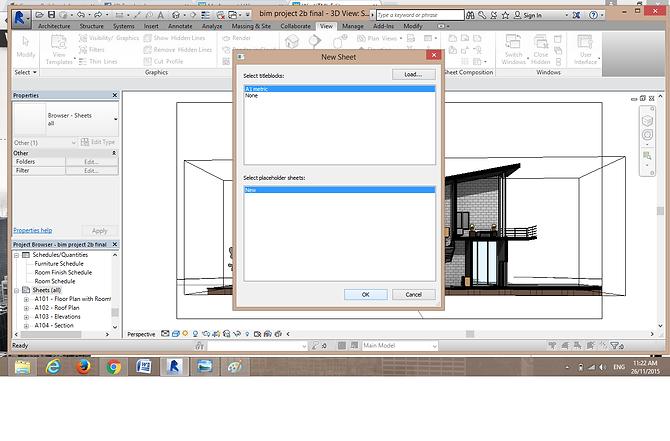
Insert the title block by using
create a new sheet.
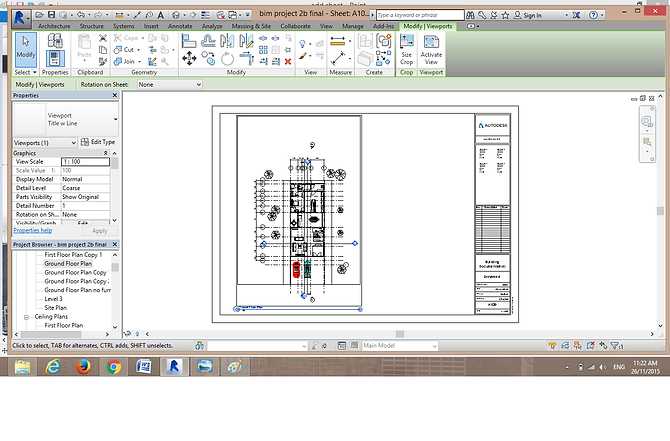
Drag the drawings into
the new sheet.
Using crop region to crop
the size of drawings which
is put in the sheet.
Adjust the size of drawing.