
HON YI HANG
BIM Project 2A: Building Modeling WIP
Window Family Component

Choose the new families file to create
a family component.

Select metric window which is found
in the list of family components.

At External Elevation:
Using reference plane to create the window out frame.

At External Elevation:
Start to annotate the dimension on
the reference plane.

At External Elevation:
Start to extrude and lock the window outer frame.

At Exterior Elevation:
Create the the outline of window
outer frame by using reference plane.

At Exterior Elevation:
Use void extrusion to void the center
in order to create the window outer frame.

At Exterior Elevation:
Void extrusion and lock the void.

At Left Elevation:
Using reference plane to draw out
the thickness of window panel.

At left Elevation:
Annotate the thickness of window
panel frame.

At Left Elevation:
Add parameter on the annotation of window panel frame.

At Left Elevation:
Extrude and Lock the window panel frame.
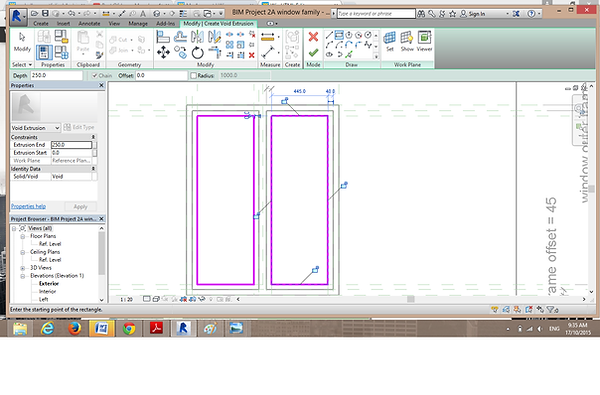
At Left Elevation:
Void Extrusion and lock the void.

At Left Elevation:
Adjust the thickness of extrusion.

At Exterior Elevtion:
Add paramter on the annotation
of dimension.
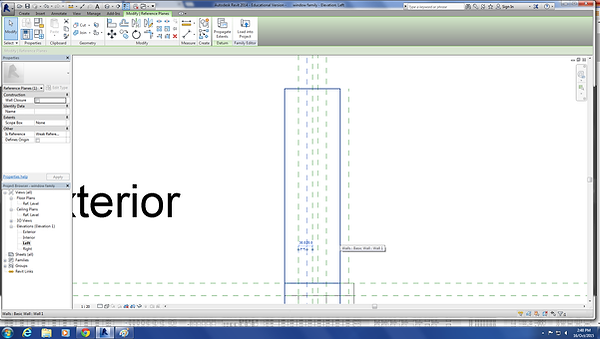
At Left Elevation:
Using reference point to draw the outline of thickness of glass.

At Left Elevation:
Annotate the dimension of glass.

At Left Elevation:
Create parameter on the
dimension of glass thickness.

At Exterior Elevation:
Extrude the glass.

At Left Elevation:
Adjust the thickness of glass.

Edit the visibility of window.

Final outcome of window.